Access a SalesForce Knowledge Base Article
There are two ways to access a published knowledge base article, using the Lightening Experience or SalesForce Classic. This is for internal purposes only and is NOT to be shared with any clients.From Lightening Experience
1) Login to SalesForce and start on the Home Page.
2) Scroll over to the App Launcher and click on it.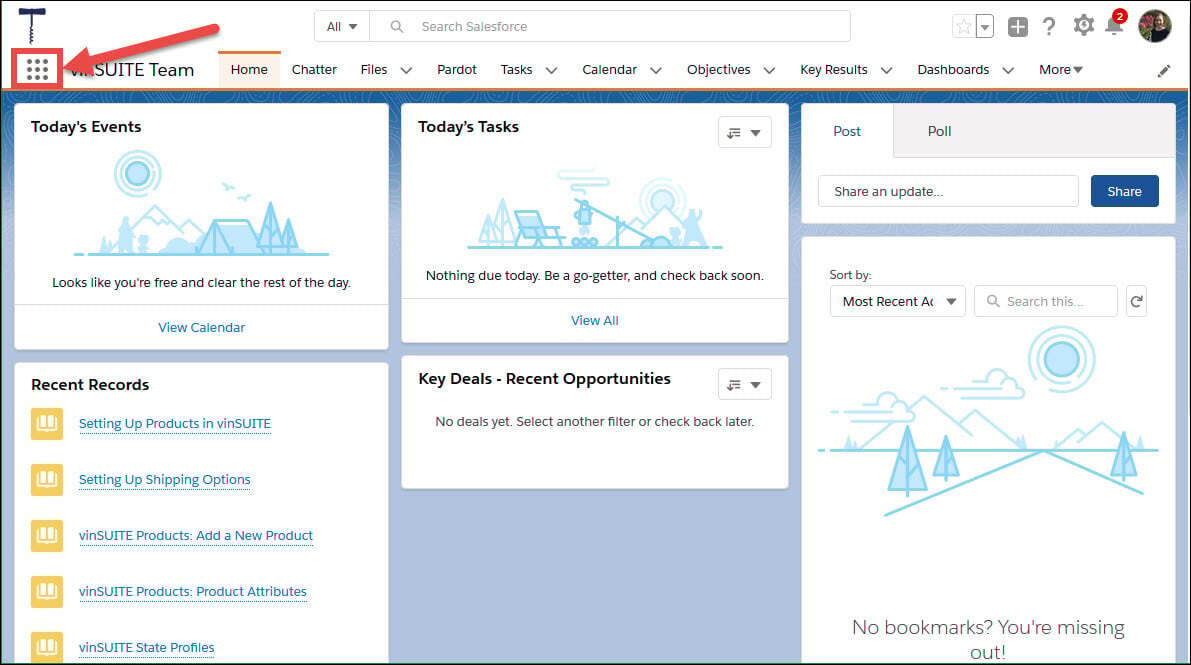
3) The white App Launcher window will pop-up. Using the search bar at the top of the window, type "Knowledge".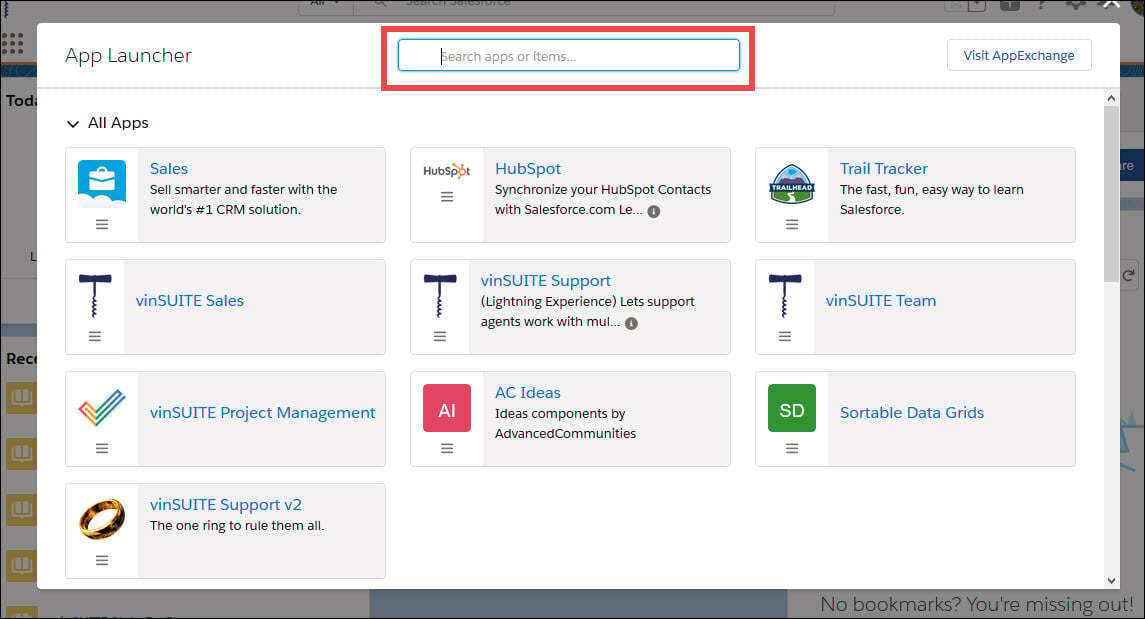
4) Select "Knowledge" from the list below.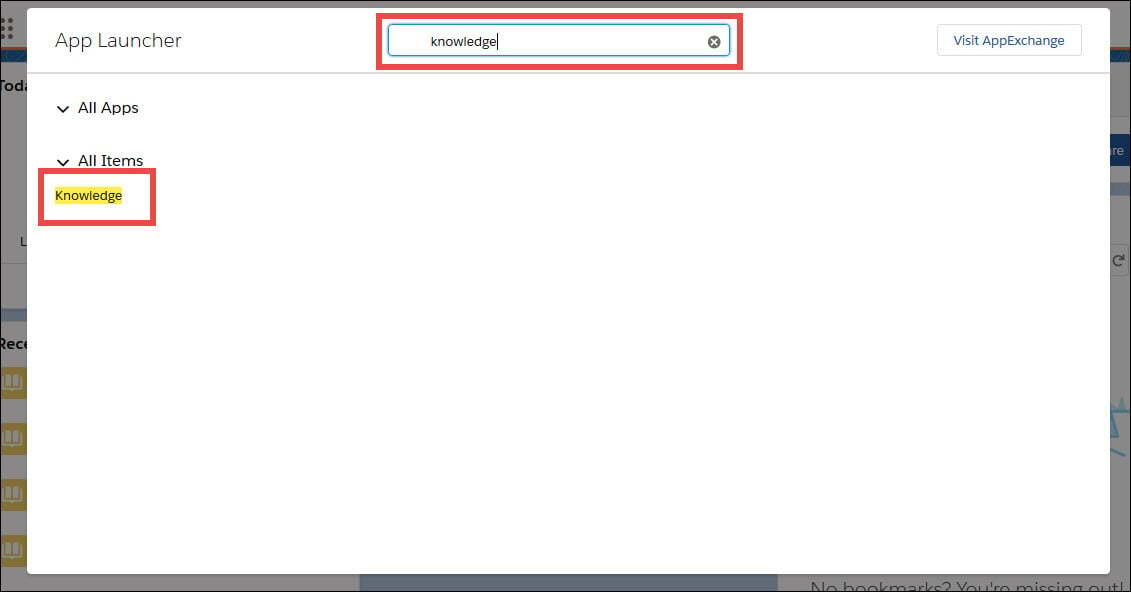
5) The Knowledge page will populate in your open SalesForce window.
Note: The search bar at the top of the screen now says Search Knowledge.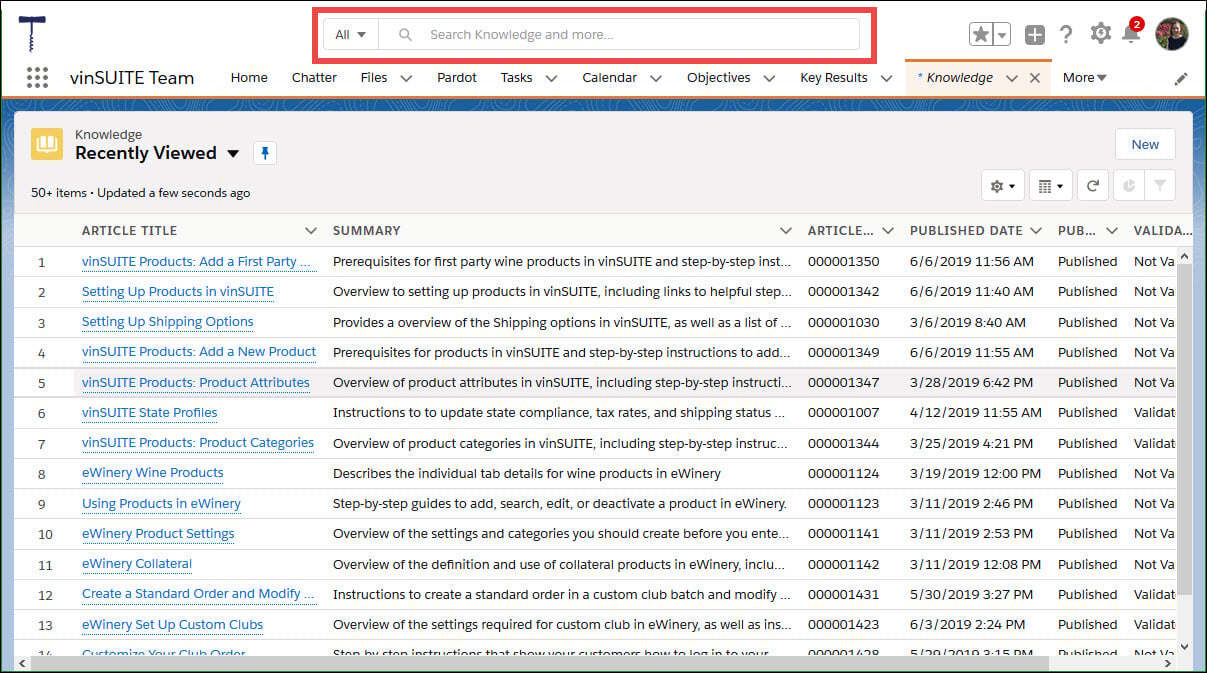
6) Type the title of the article into the search bar and select the appropriate article.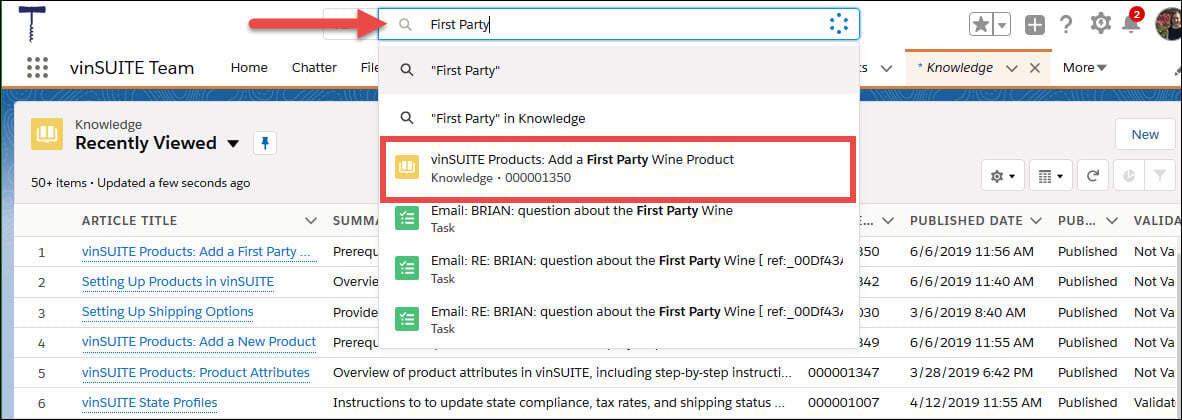
Alternatively, you can use the list filters to narrow down your results.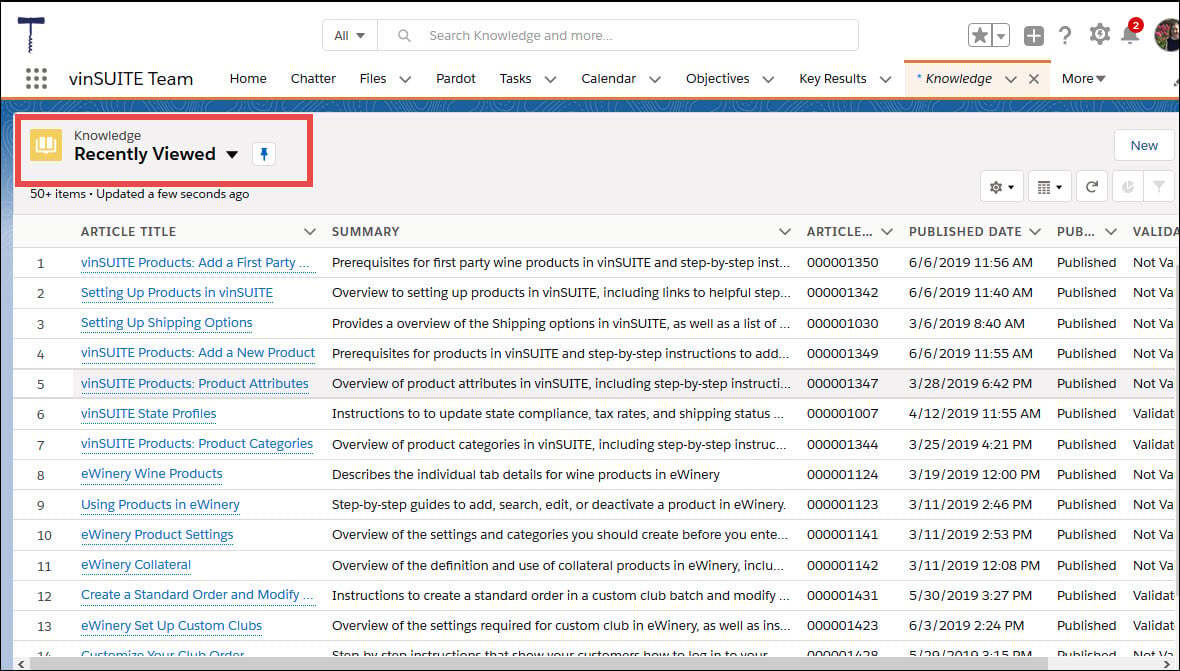
7) The article will open SalesForce window.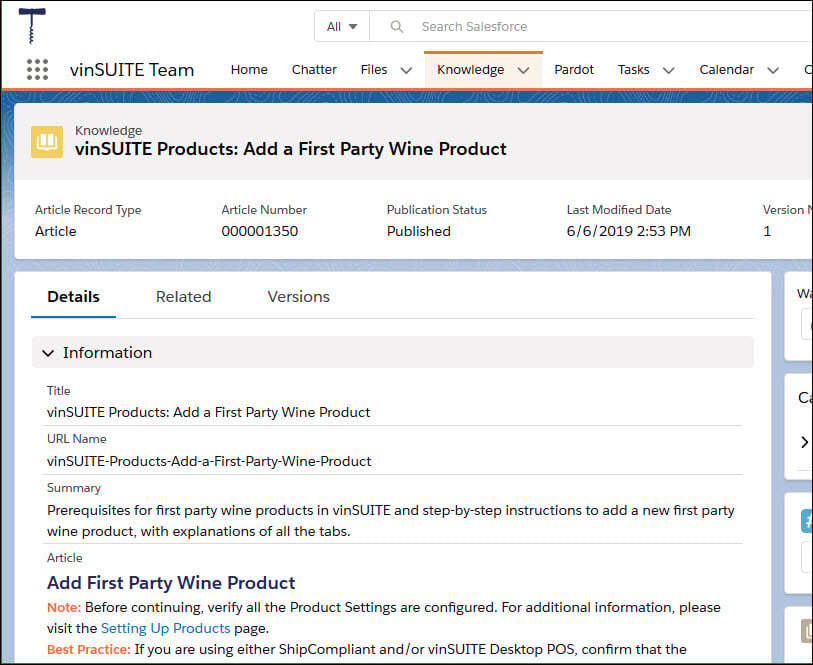
From SalesForce Classic
1) Login to SalesForce and start on the Home Page.
2) Click on your Profile picture and click on Switch to SalesForce Classic.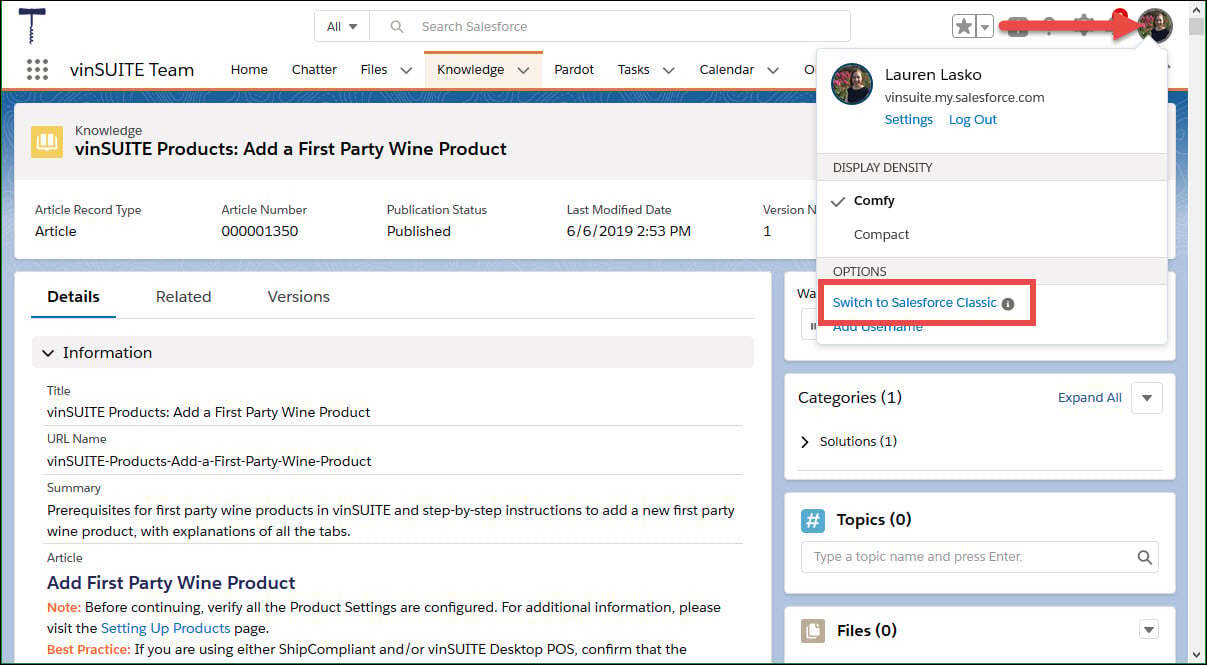
3) The screen will reload to SalesForce Classic.
4) Click the plus sign to open the App menu.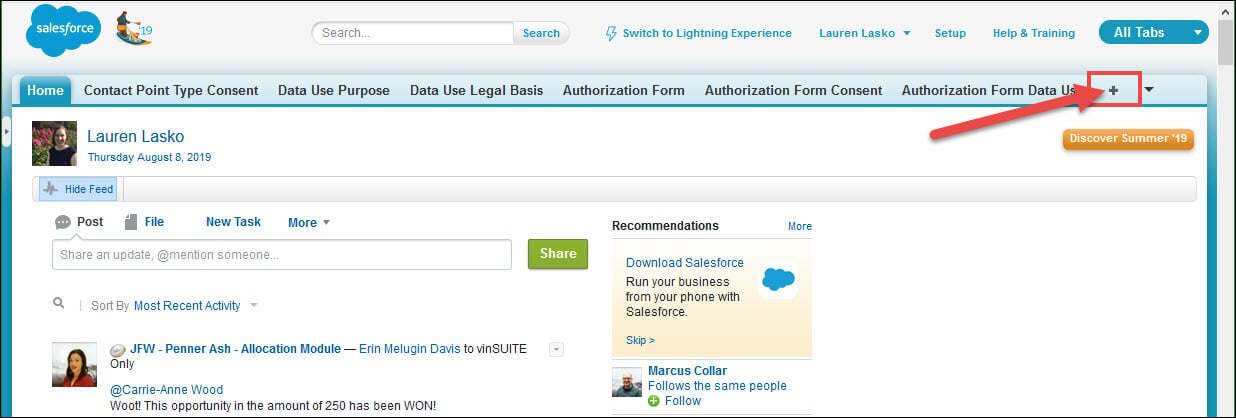
5) Select Knowledge from the App menu.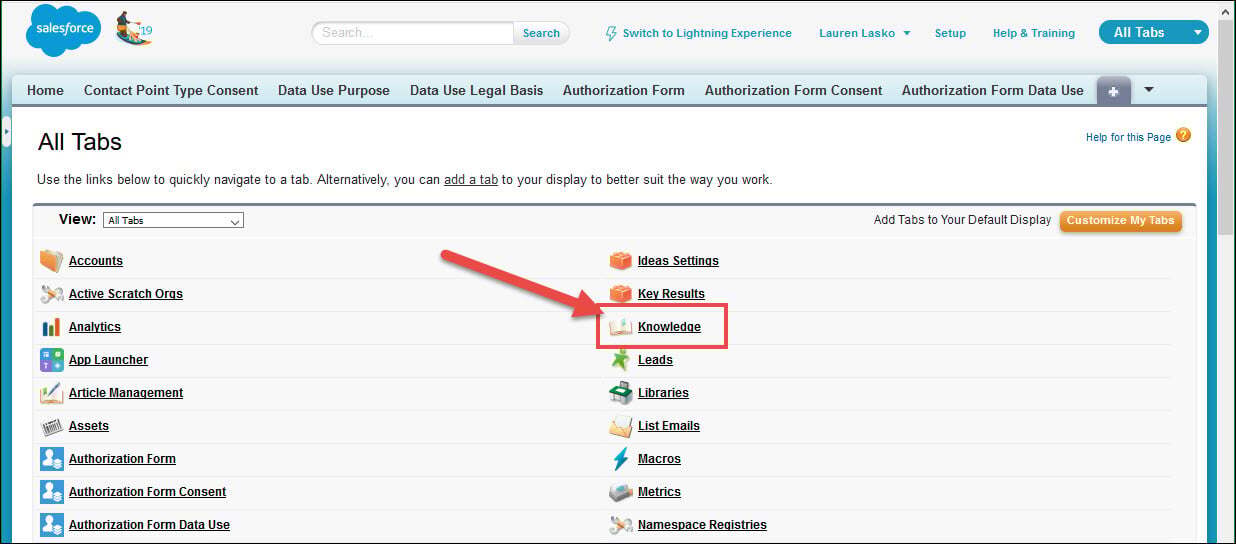
6) The Knowledge base will populate in your open SalesForce window.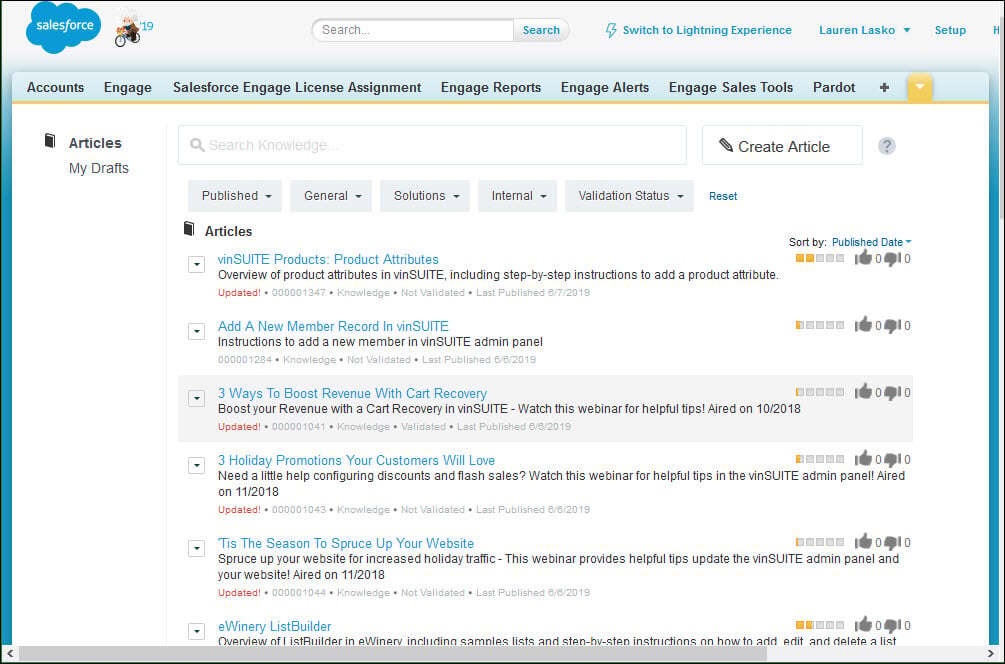
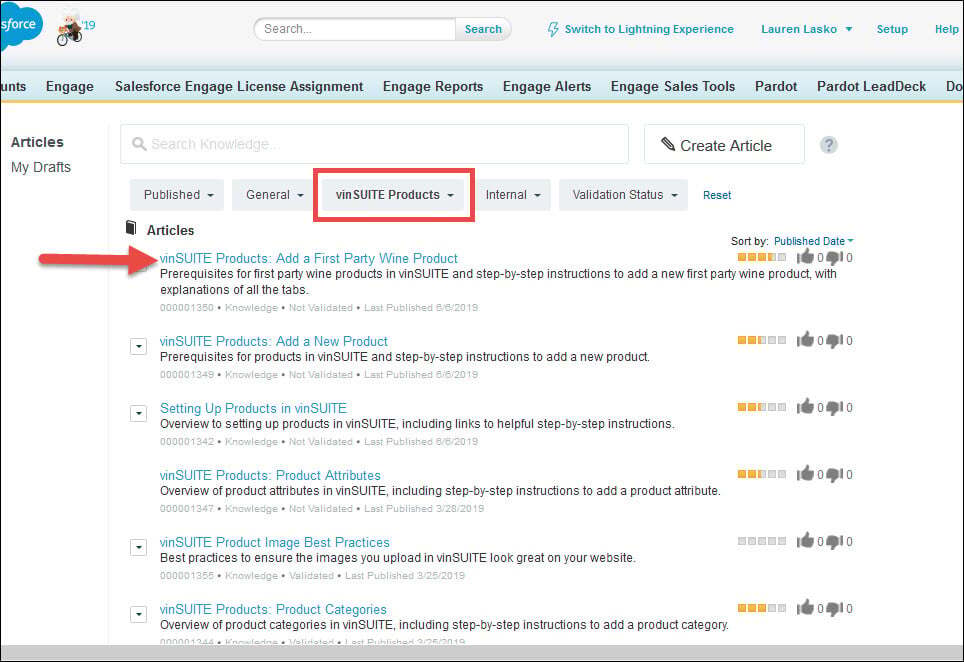
7) Type the title of the article into the Knowledge search bar and select the appropriate article.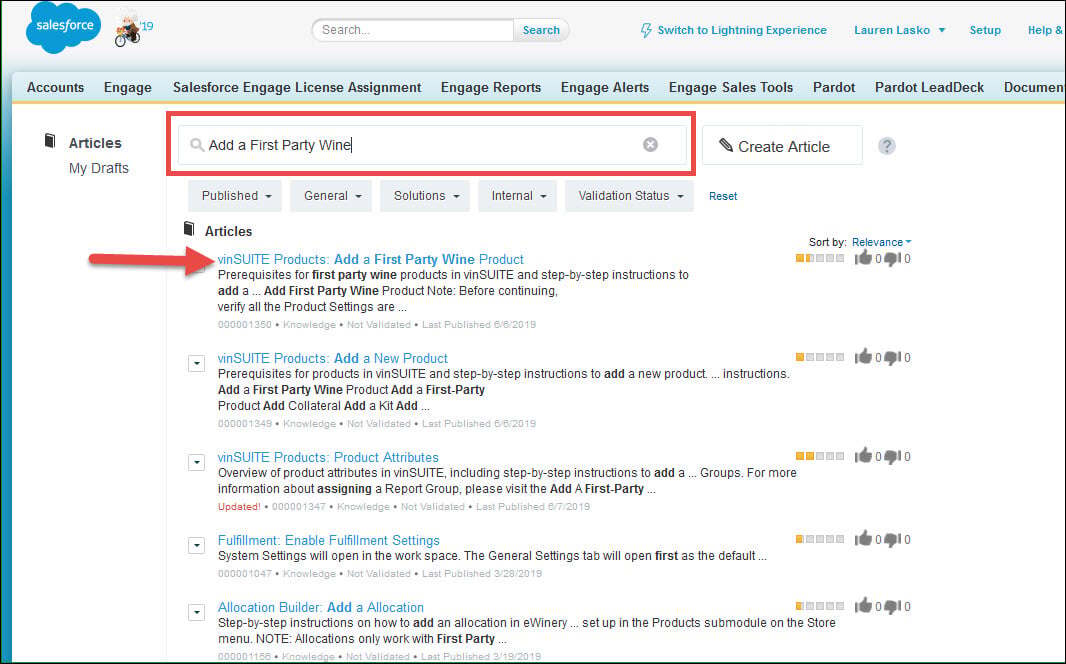
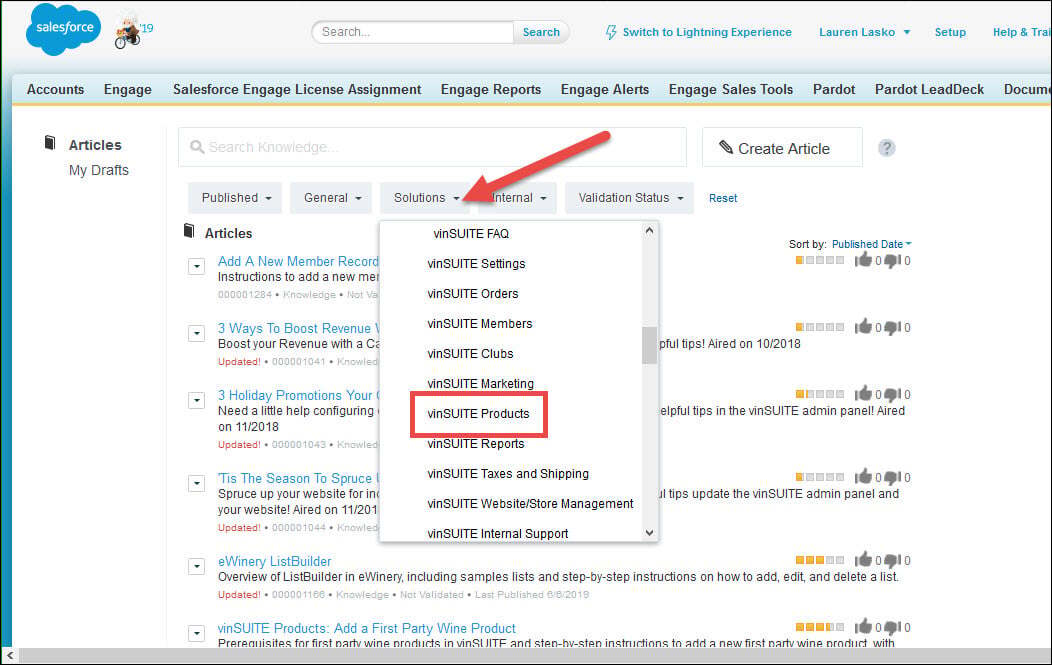
Alternatively, you can use the Solutions category filter to narrow down your results by category.