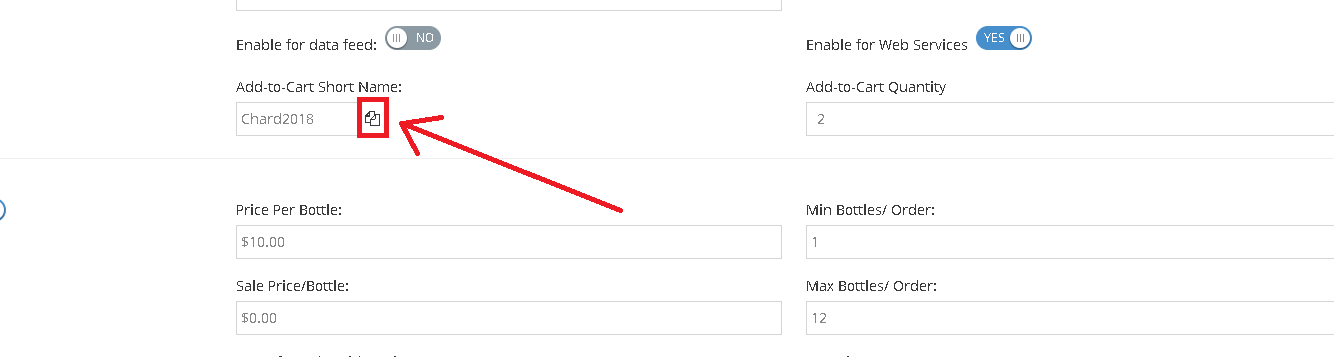
The Add-to-cart URL feature has been built to aid our wineries marketing efforts. This feature will allow for a quick and efficient way for your consumers to click a link in your marketing emails that lands them on your website with items in their cart. We hope this will go a long way to boost your marketing conversions and lead to more revenue.
Here is a short guide to walk you through the process:
Here is a short guide to walk you through the process:
- Edit your desired product from your product list
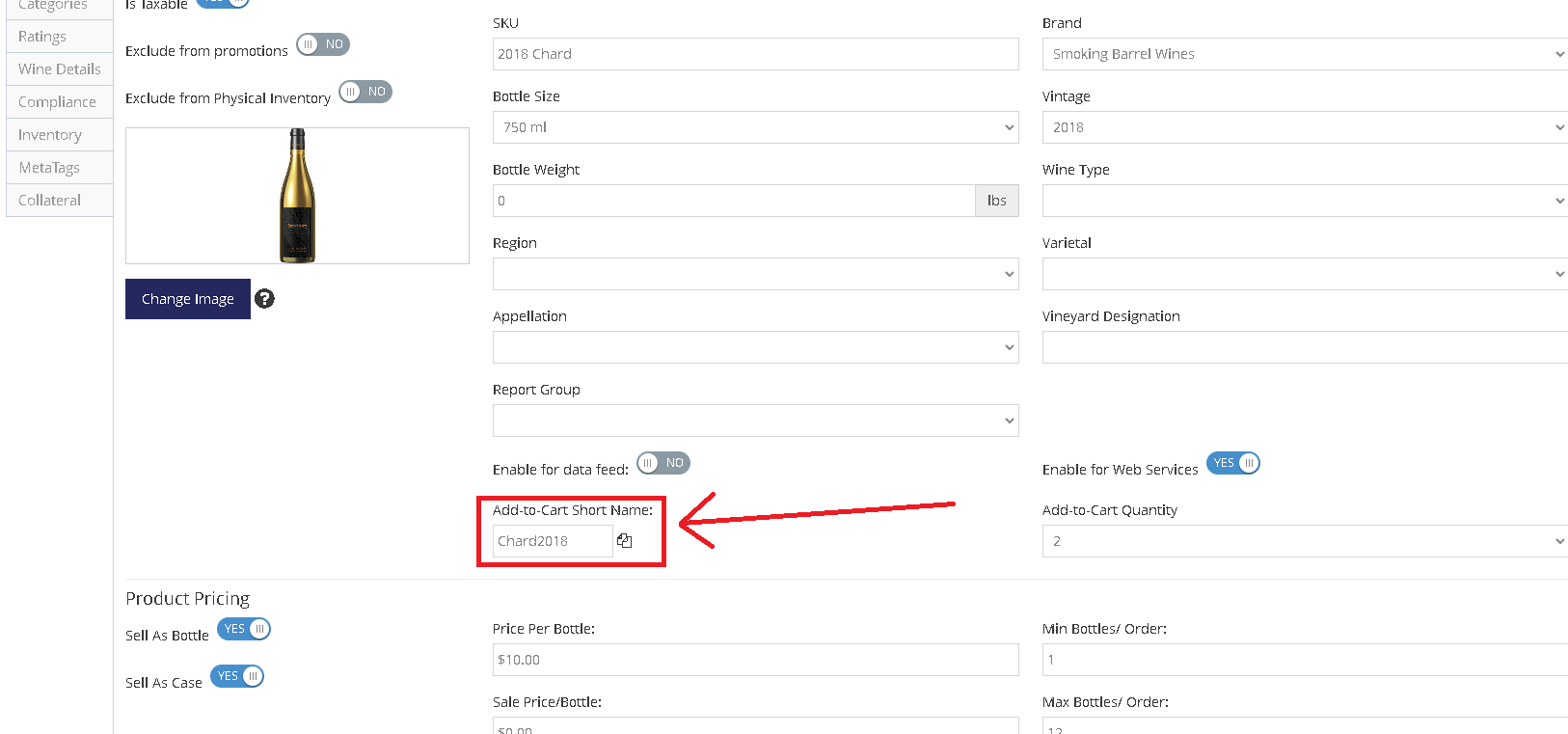
- Enter the desired short name in the "Add-to-Cart Short Name:" field:
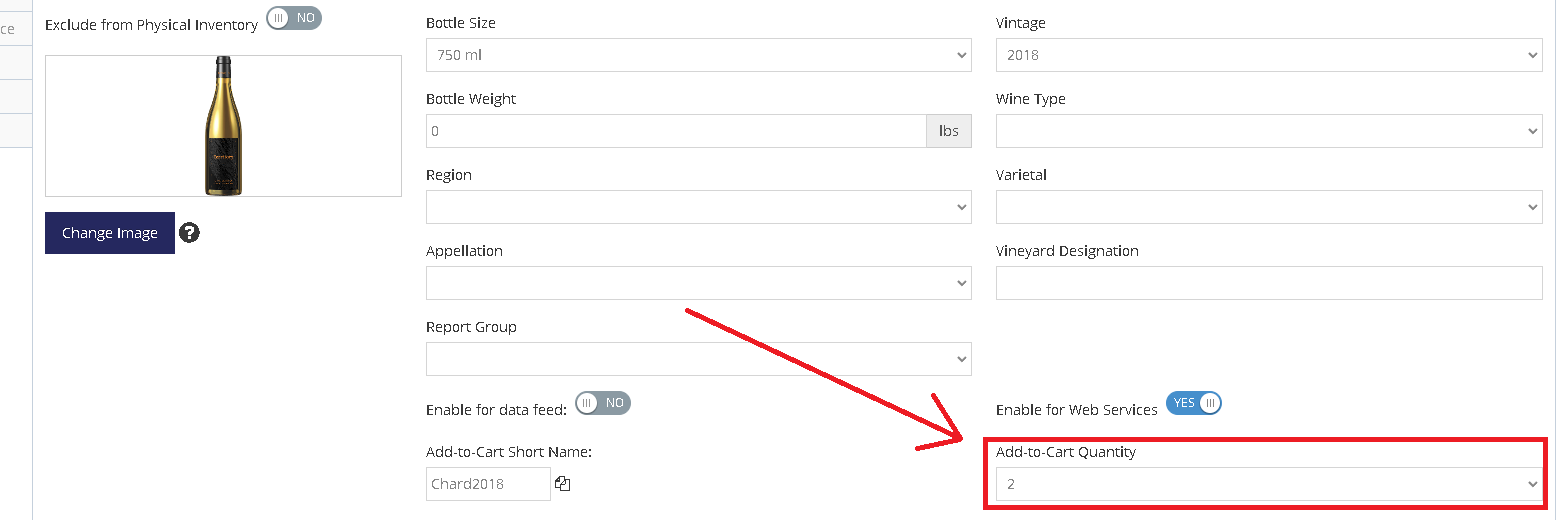
- Select the desired quantity from the "Add-to-cart Quantity" drop-down list:
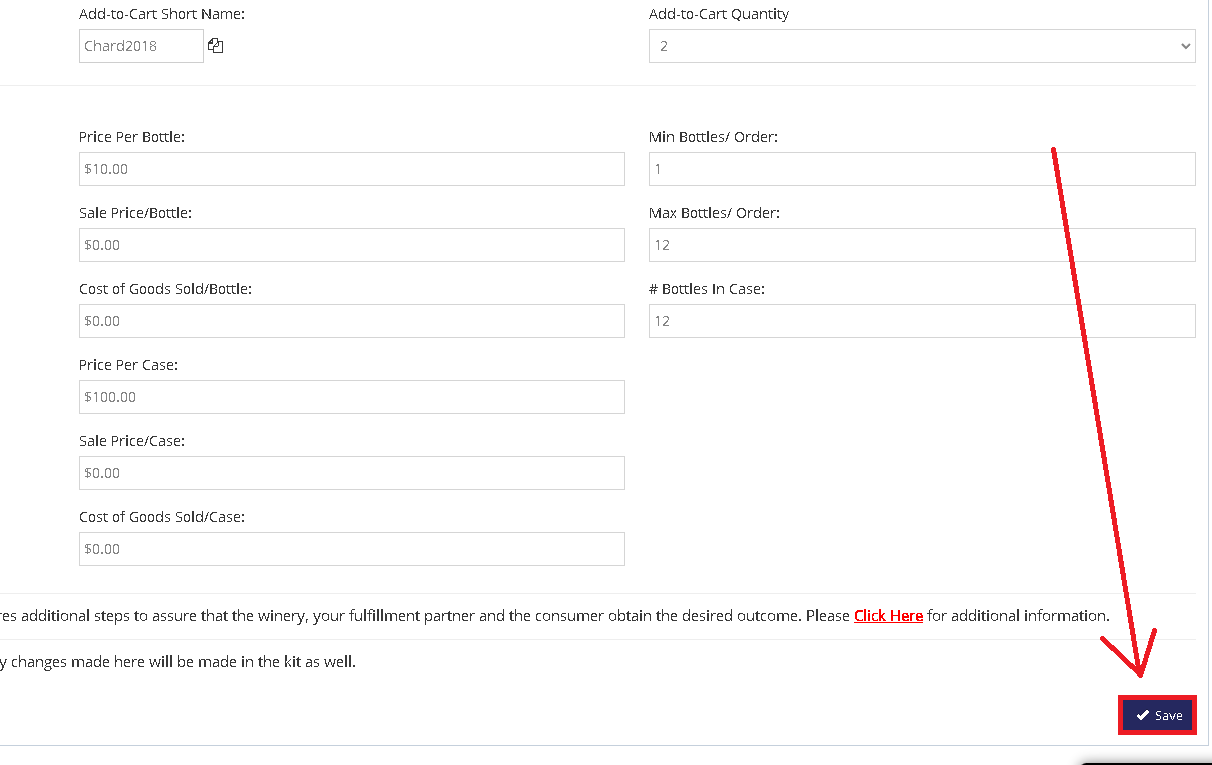
- Click "Save":
- Click the copy URL button next to the "Add-to-Cart Short Name" field: