
Avalara: Exempting Wholesale or Tax-Exempt Members from Tax Calculations
To exempt a member from tax calculations in Avalara, assign an Entity Code to their member profile. Once an Entity Code is set, taxes will not be calculated on any orders placed for that member. Common use cases include: wholesale customers, resellers, or members with a tax-exempt certificate.
In the vinSUITE admin: Navigate to the member's profile and select the Address Book tab. Click Edit on the General Contact Info section. Scroll down to the Entity Code field and select the appropriate code from the dropdown.
In the eWinery admin: Navigate to the member's profile. In the Primary Billing Address section, select the appropriate Entity Code from the dropdown.
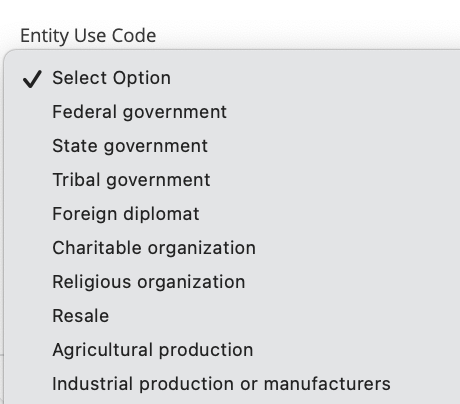
Note: The Entity Code options available in the dropdown are configured within your Avalara account. If the required code is not listed, contact your Avalara administrator or refer to Avalara's documentation on entity/use codes.