
Customize your Club Order
This guide provides step-by-step instructions that show you how to log in to a winery's web page and customize your custom club order.
Instructions to Customize your Custom Club Order
1) Once you receive an email that you can customize your order, follow the link in the email to the winery's member login page.
2) Log in with your username and password, and click the 'Submit' button.
3) Once you log in, you'll be taken to your Profile page. Click the My Custom Clubs tab.
4) On the My Custom Clubs page, you will see a list of your custom clubs, with a description and the last day you can modify your club order.
Click on the appropriate club. 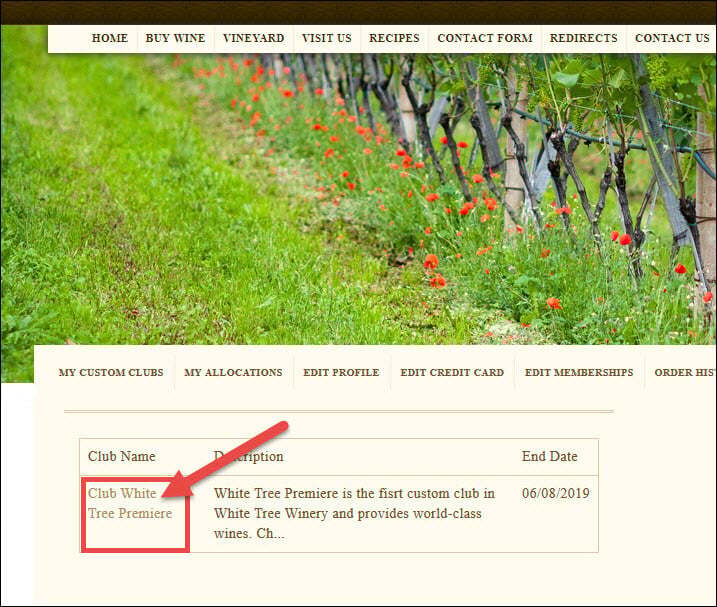
5) The Customize Club page will display and allow you to make your selections. 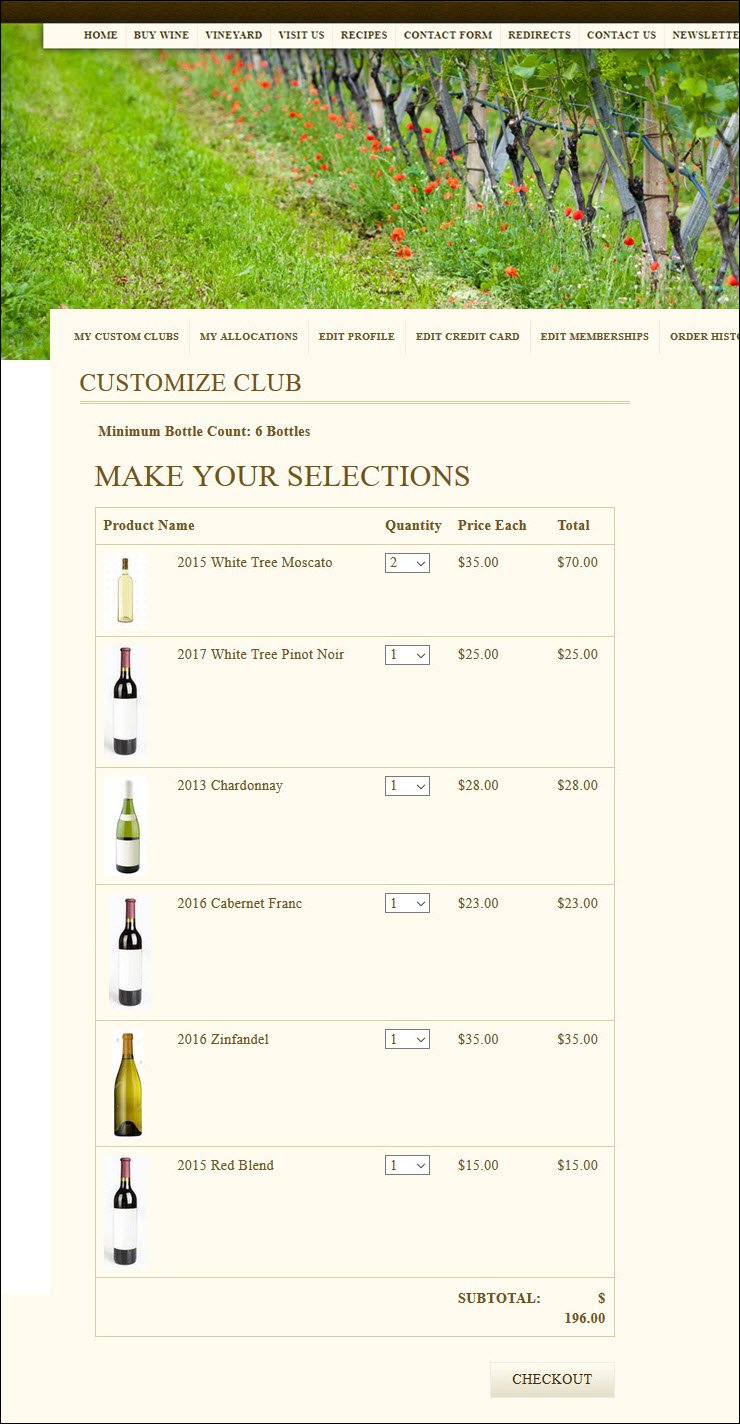
6) In the 'Make Your Selections' section, select the quantity you would like out of the available bottles.
Note: If a bottle is required for purchase, or only available in certain increments, you may be limited to certain product quantities. 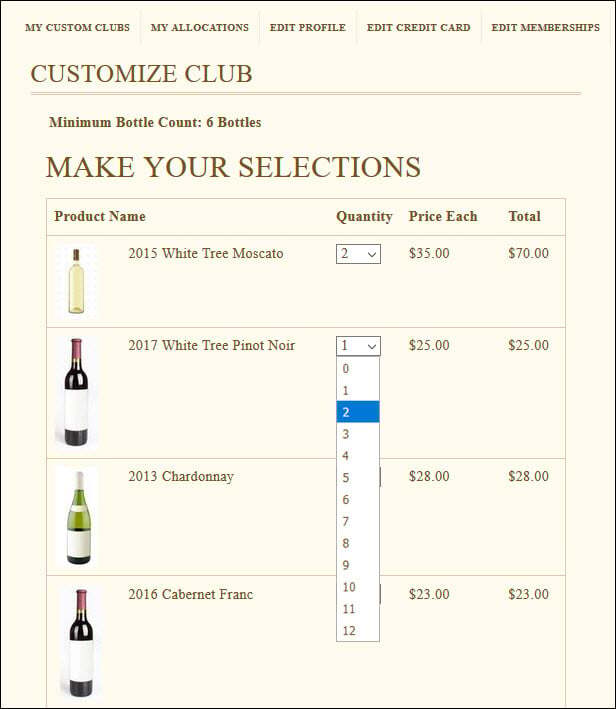
7) Once you have finalized your selection, click the 'Checkout' button. 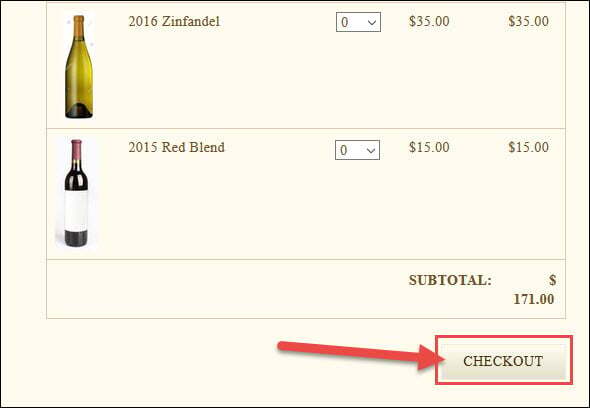
Note: If you have not met the minimum requirements set by the winery, you will receive a notice and will not be able to check out.
8) You will be taken to the Cart Summary page, where you can review and update your order, apply offer codes, and set your shipping options. 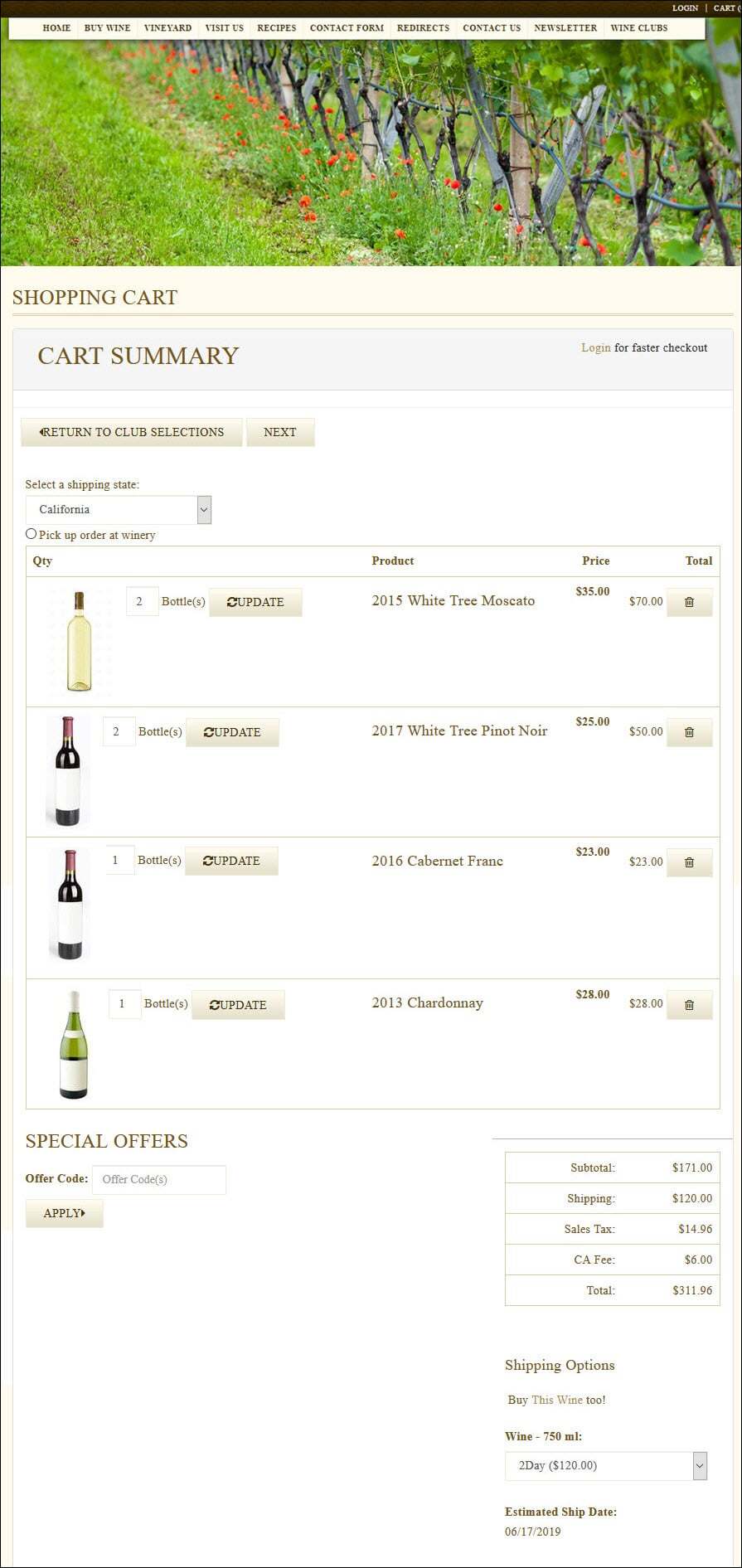
9) Once you have finalized your order details, click the 'Next' button.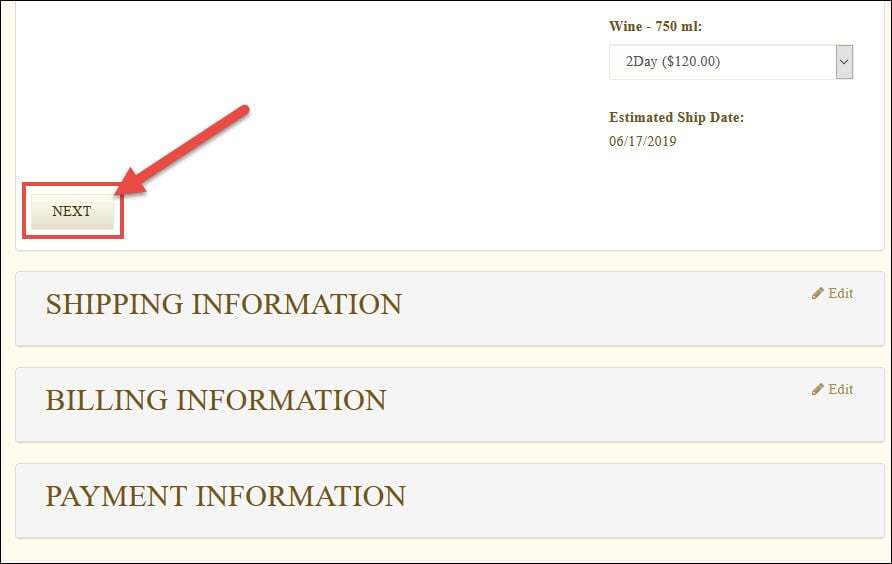
10) You will be taken to the Shipping Information page where you can enter your shipping address.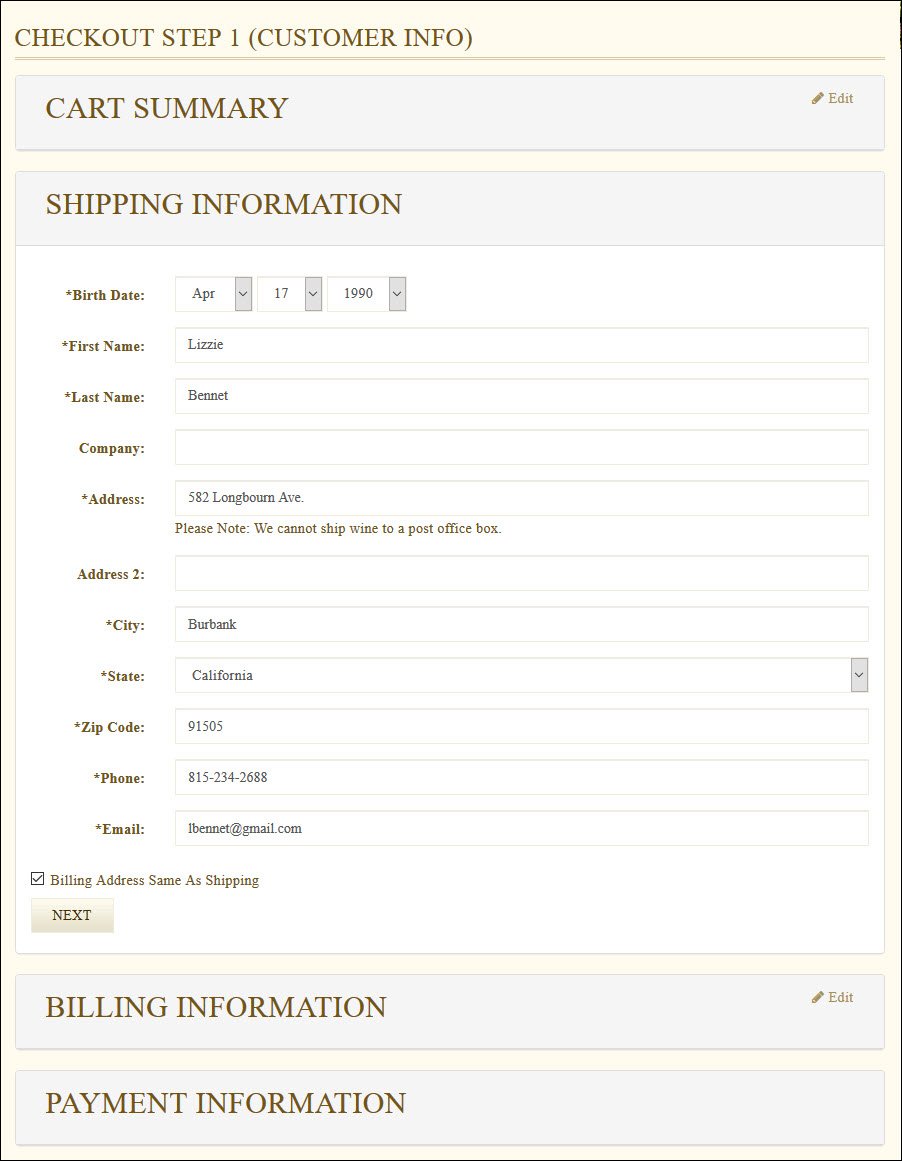
Note: Your billing and shipping information will be populated from member profile, but you have the ability to alter any information.
11) Once you have reviewed your shipping information, click the 'Next' button.
12) You can follow the checkout through the Billing and Payment Information pages.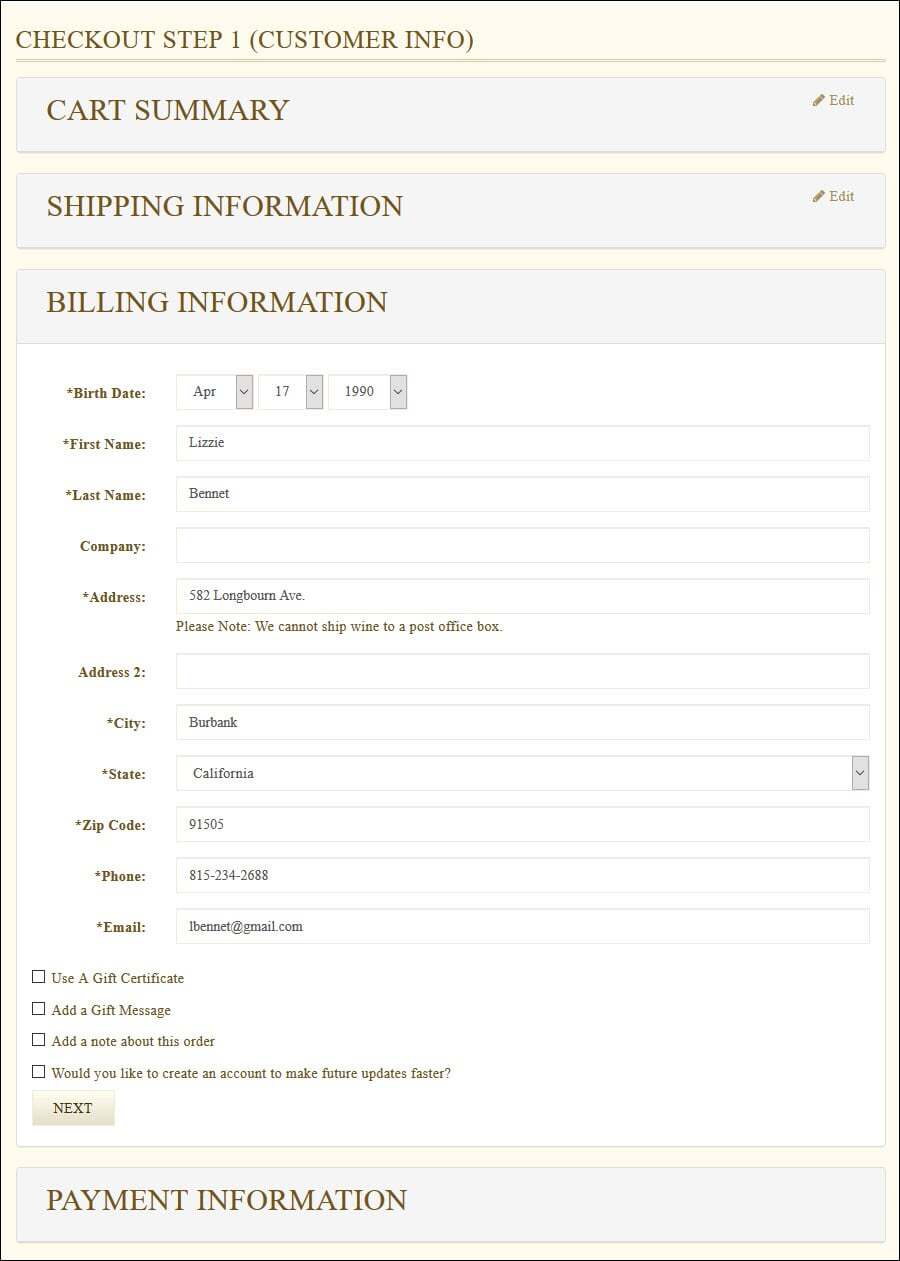
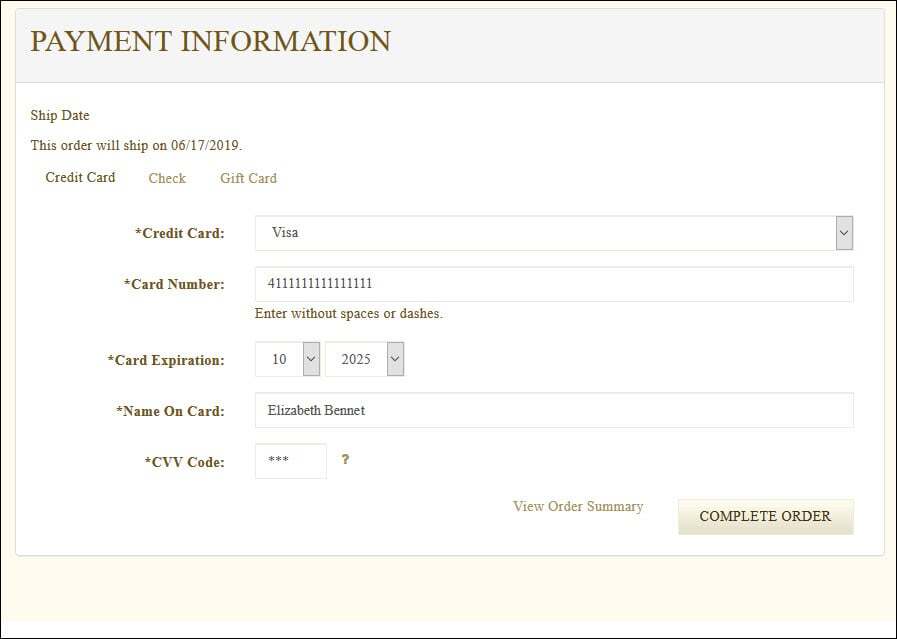
13) Once you have finalized all order details and information, click the 'Complete Order' button.
Note: Currently, you are not allowed to customize your custom club order more than once. Once you click 'Complete Order' button, you will need to contact the winery to alter your order. 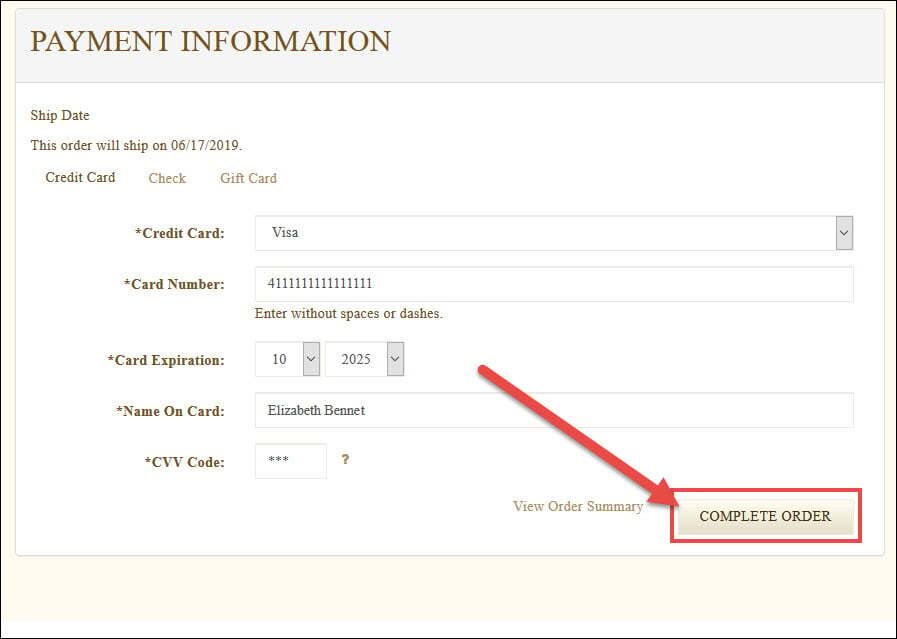
14) After you click the 'Complete Order' button, your order will be processed. Once your order has successfully processed, you will be taken to the Order Confirmation page.
Note: Your order may be reviewed by the winery prior to shipment, depending on the winery's settings. 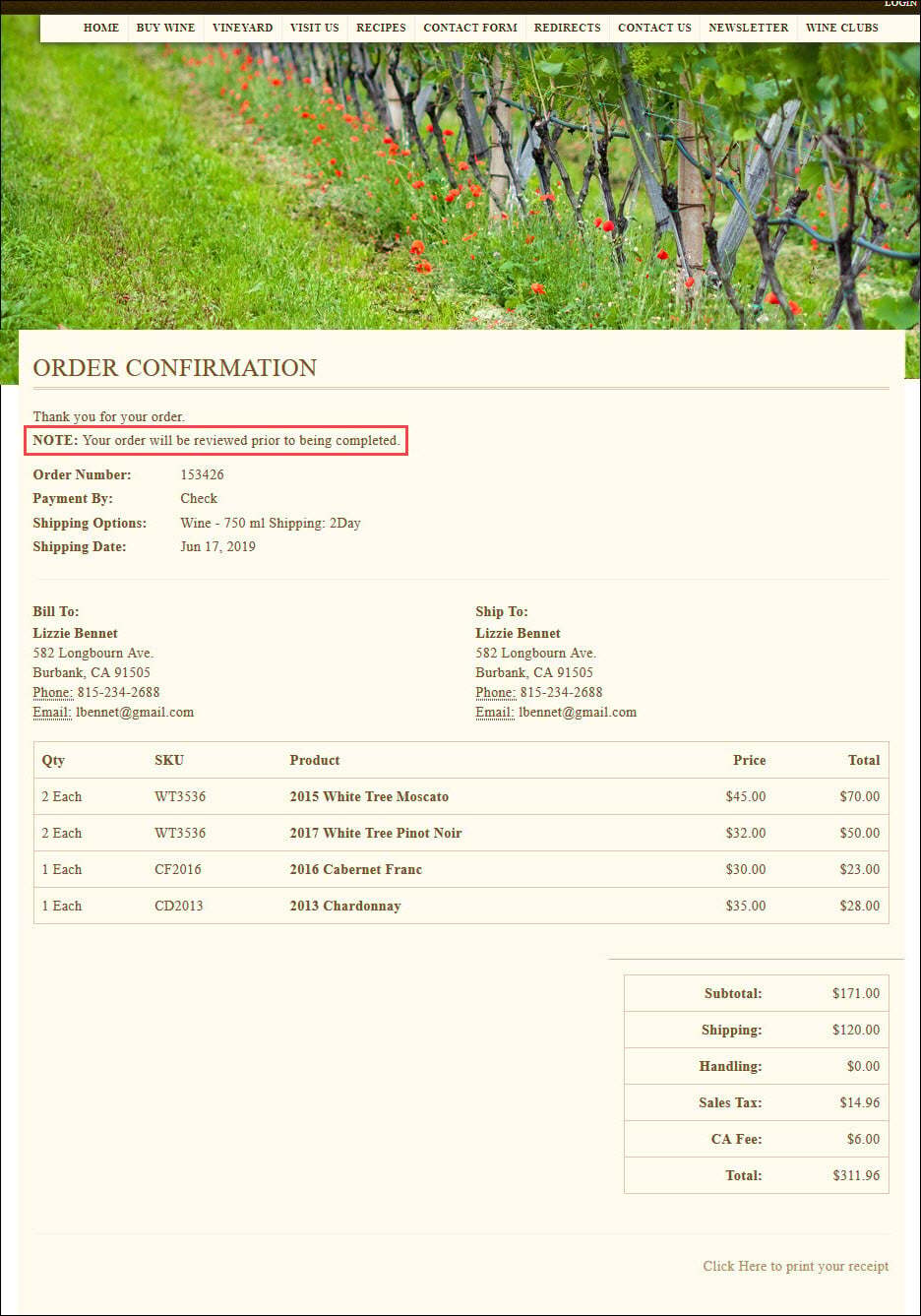
You will also receive a confirmation email that your order has been customized and approved by the winery.