
Enable vinSight Dashboard Access for Admin Users
Note: By default, only the Account Owner has access to the vinSight Dashboard. To grant access to additional users, you must enable the vinSight Access permission for their role.
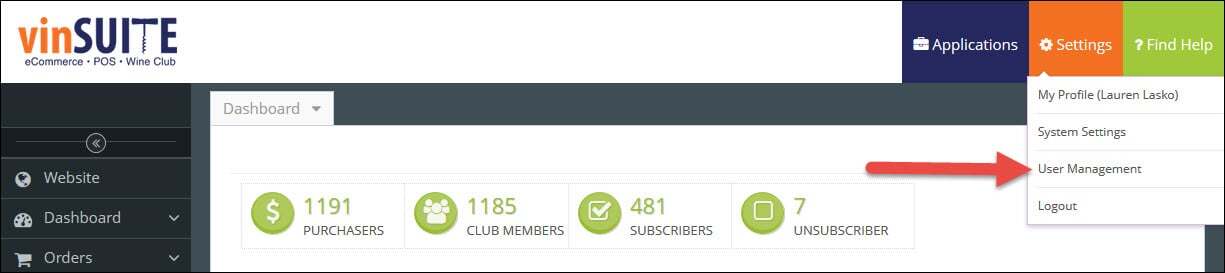
1) In the vinSUITE admin panel, click the orange ?Settings? button in the top right of your screen. From the drop-down that appears, choose ?User Management?.
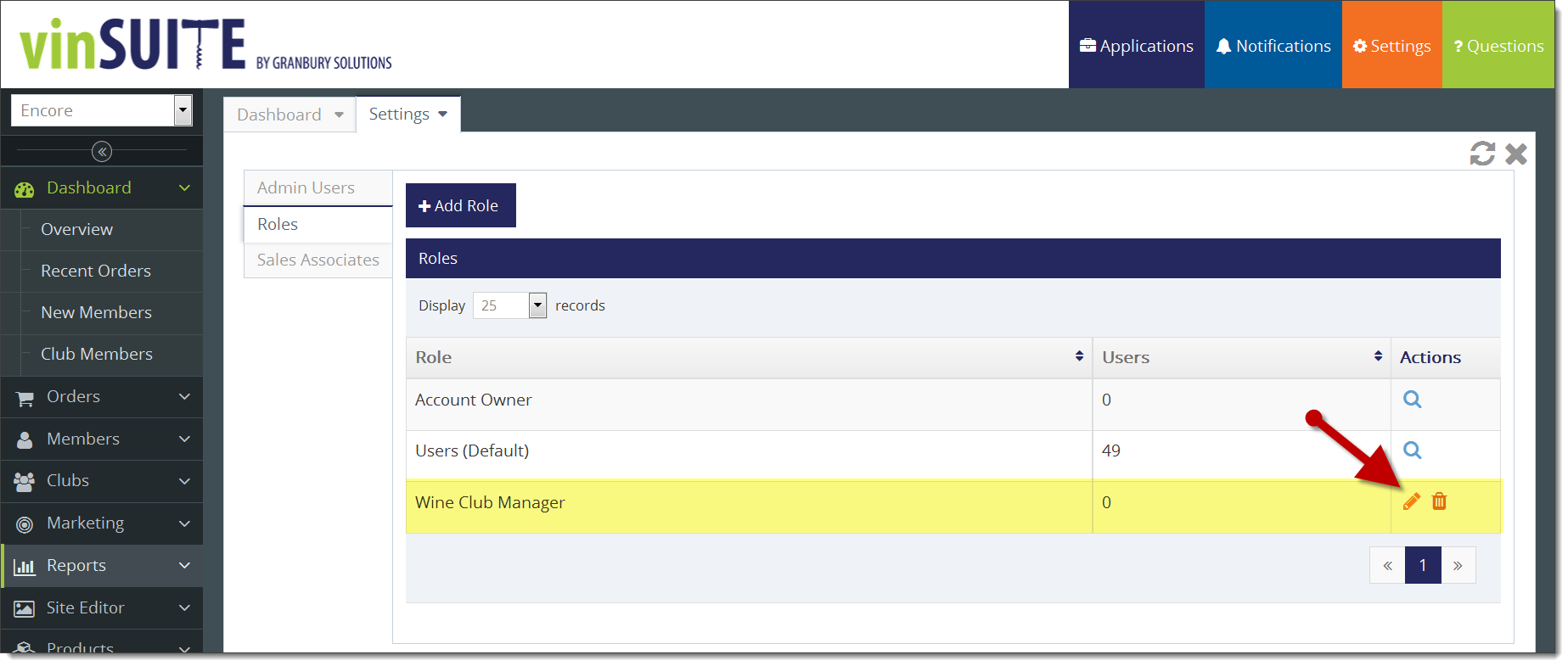
- Select Roles, and choose to edit any role by clicking the Edit icon
 in the actions column.
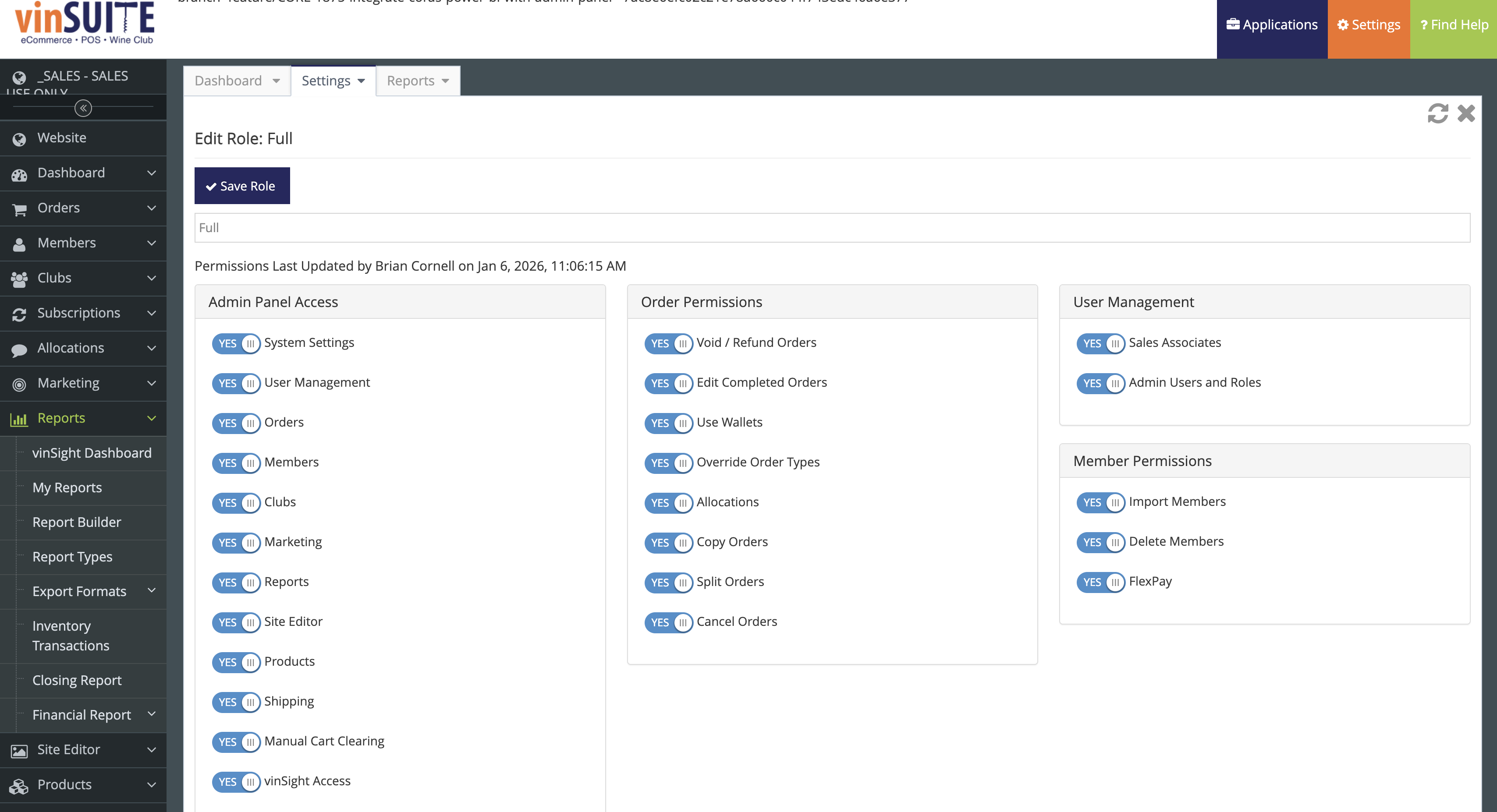
- Select the vinSight Asscess button and toggle it to YES, located in the Admin Panel Access column.
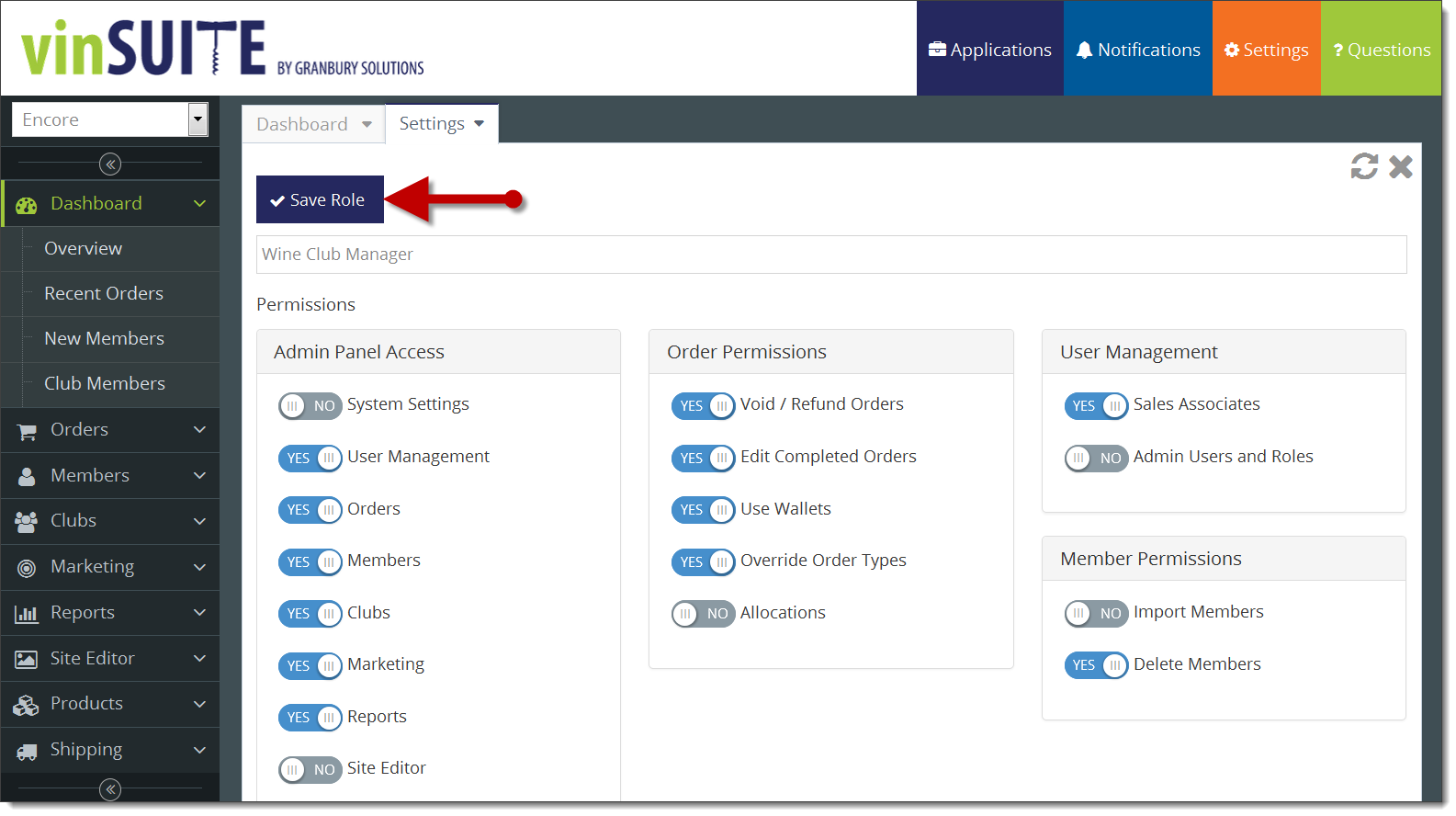
- Click the purple ?Save? key in the upper left of the work space.
What Happens Next
All users assigned to this role will now have access to the vinSight Dashboard.
Users may need to log out and back in for the change to take effect.
Additional Considerations
If necessary, you can create additional roles to limit vinSight access to specific users.
For more information on managing roles, refer to the User Roles knowledge base article.