
What is Enhanced Recall?
Tasting room hospitality depends on efficiency — and your members notice when their order is ready and waiting. Enhanced Recall lets you quickly manage pending club orders directly from your TabletPOS system, so your team can process wine club pick-ups and upsells in the tasting room without switching applications.Enhanced Recall
Enabling Enhanced Recall
Does Enhanced Recall require any setup?
No setup is required. Enhanced Recall is a default feature available to all users out of the box. Ensure you are running the latest version of the TabletPOS application to access Enhanced Recall — no additional configuration is needed.
How does it work?
We have modified the Recall Order menu to now include orders with a pending or accepted status from vinSuite for website and club order types. These order types include:- Club
- Admin
- Store
Recommended Workflow
While this feature can be used without assigning a member to the system, it is best used this way to achieve a quick and efficient order experience.
- Look up the member using Search Member. On the TabletPOS home screen, tap Search Member and enter the member's name or account details to assign their account to the current sale.

- With the member's name showing on the sale, go to the Cashier menu. Confirm the member's name appears at the top of the sale screen, then tap the Cashier menu button.

- Select the Recall Order option. From the Cashier menu, tap Recall Order to open the list of pending or accepted orders associated with the assigned member.
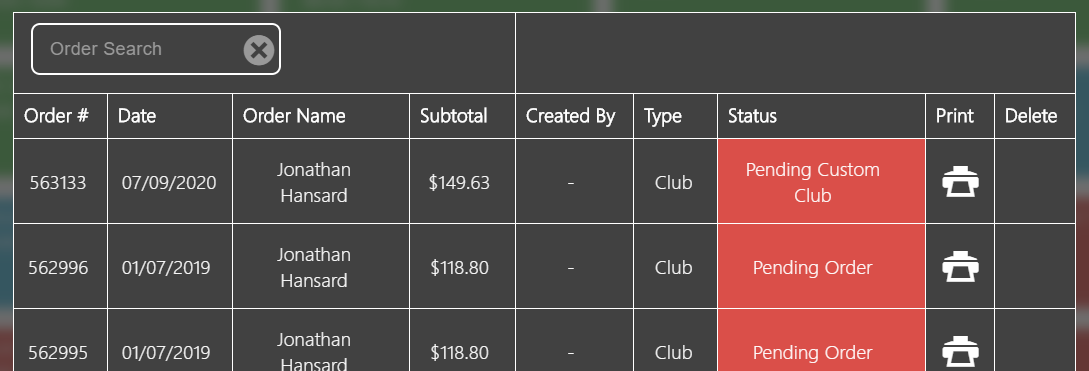
- Select the desired club order from the list. Tap the club order you want to process — the order items will load into the current sale.
What happens if a club order item is not set up in TabletPOS?
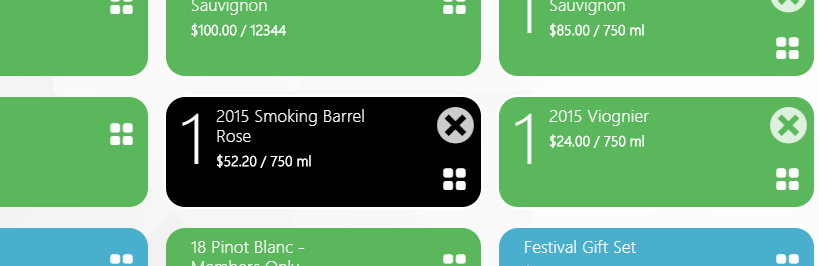
Note: If an item from your club order has not been set up in TabletPOS, it will appear as a black tile automatically. You can adjust the quantity directly on the black tile before completing the transaction. Once the order is completed, the product will no longer appear in the TabletPOS product list.
What modifications can you make after recalling a club order?
From here, you can make all standard modifications available for a typical TabletPOS order, including updating the shipping options. This is particularly useful when a club member shipment is declined during a club run and the member visits the tasting room to pick up the order in person.