
Dealer Unlock Code
If you have to delete the attrib.PCA file, or upgrade a customer site and you see the following message, you will need to obtain a new Dealer Unlock Code for payment processing.
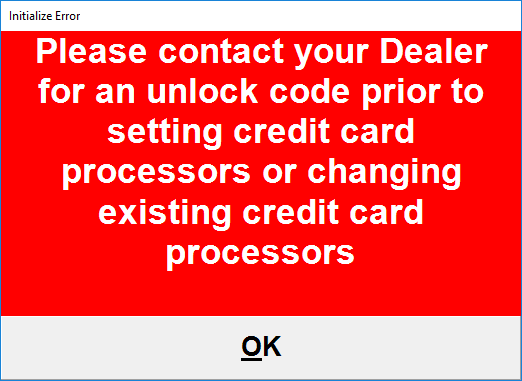
1. Open the Manager Menu.
2. Select SETUP -> SETUP SCREEN and select the Payment Processor tab.
3. In the Payment Processing tab, you will see the current payment processor setup and 'Unlock' button.
4. Click the 'Unlock' button and note the information listed.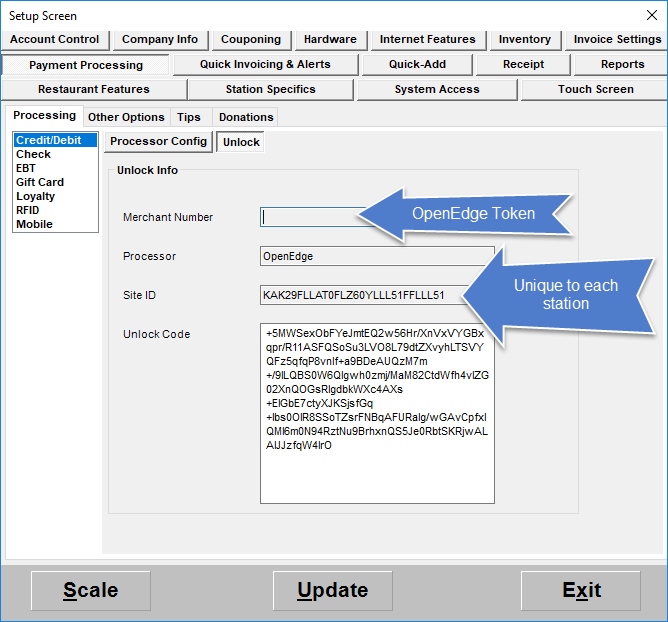
5. Open a Web Browser and navigate to the following link:
https://pos.heartlandpaymentsystems.com/kb/index.php?View=login&EntryID=1456&Msg=entry_enter
6. Log in with the following credentials:
Username: pwilliams@vinsuite.com
Password: vinsuite1700
7. Fill out the Processor Unlock Form using the information provided in the POS settings.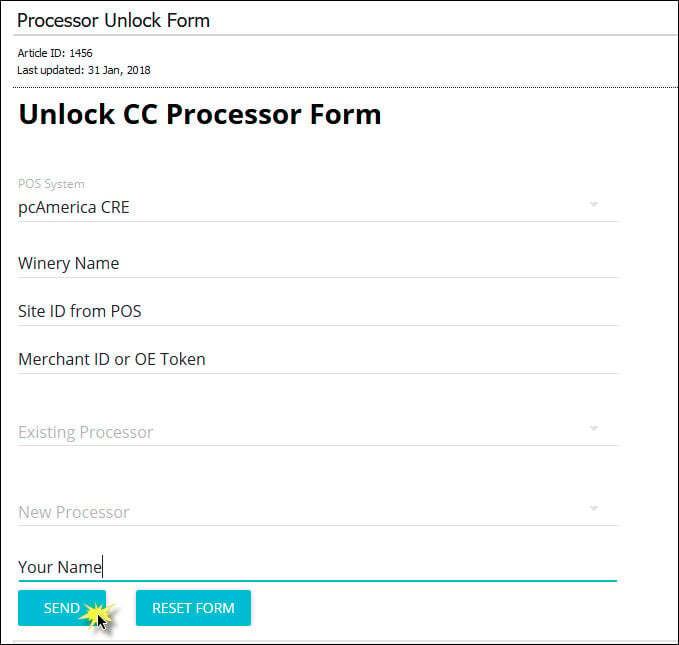
8. Click the 'Send' button and the site will provide you with a new Unlock Code.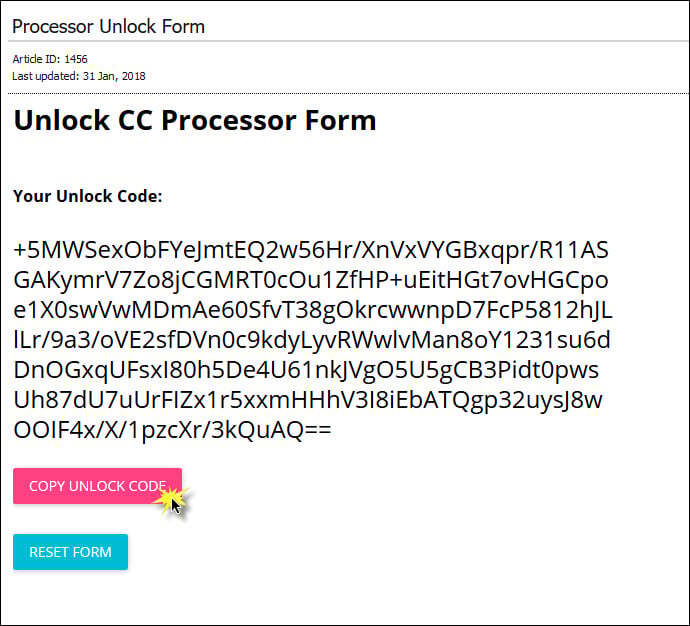
9. Click the 'Copy Unlock Code' button to copy the code to your clipboard.
10. Enter the code in the POS screen and click the 'Update' botton.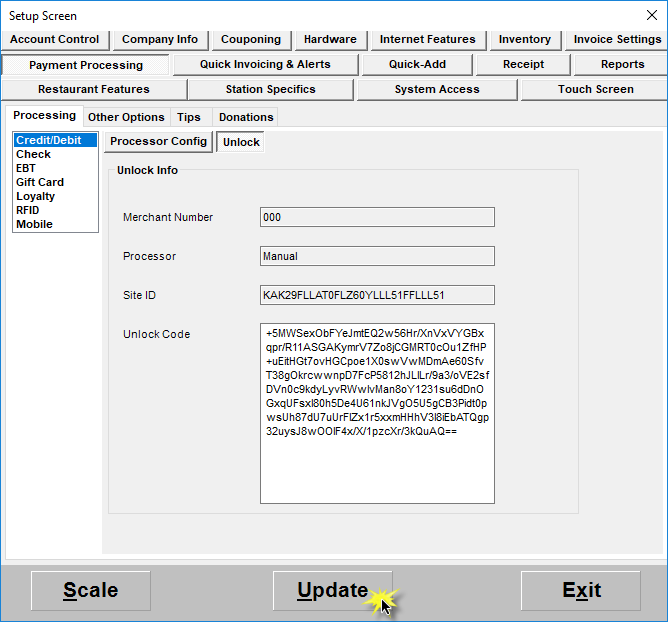
If these steps do not solve the issue, please contact PCAmerica for additional assistance.
PCAmerica: (800-342-5729)